
EXIF Metadata Remover
View a photo's hidden metadata, then strip it before you share the file.
Last updated
Drag and drop files here
Supports .jpg and .jpeg — multiple files at once
Your photos are never uploaded anywhere — everything runs on your device.
No files yet
Add a photo above to clean it up.
Introduction
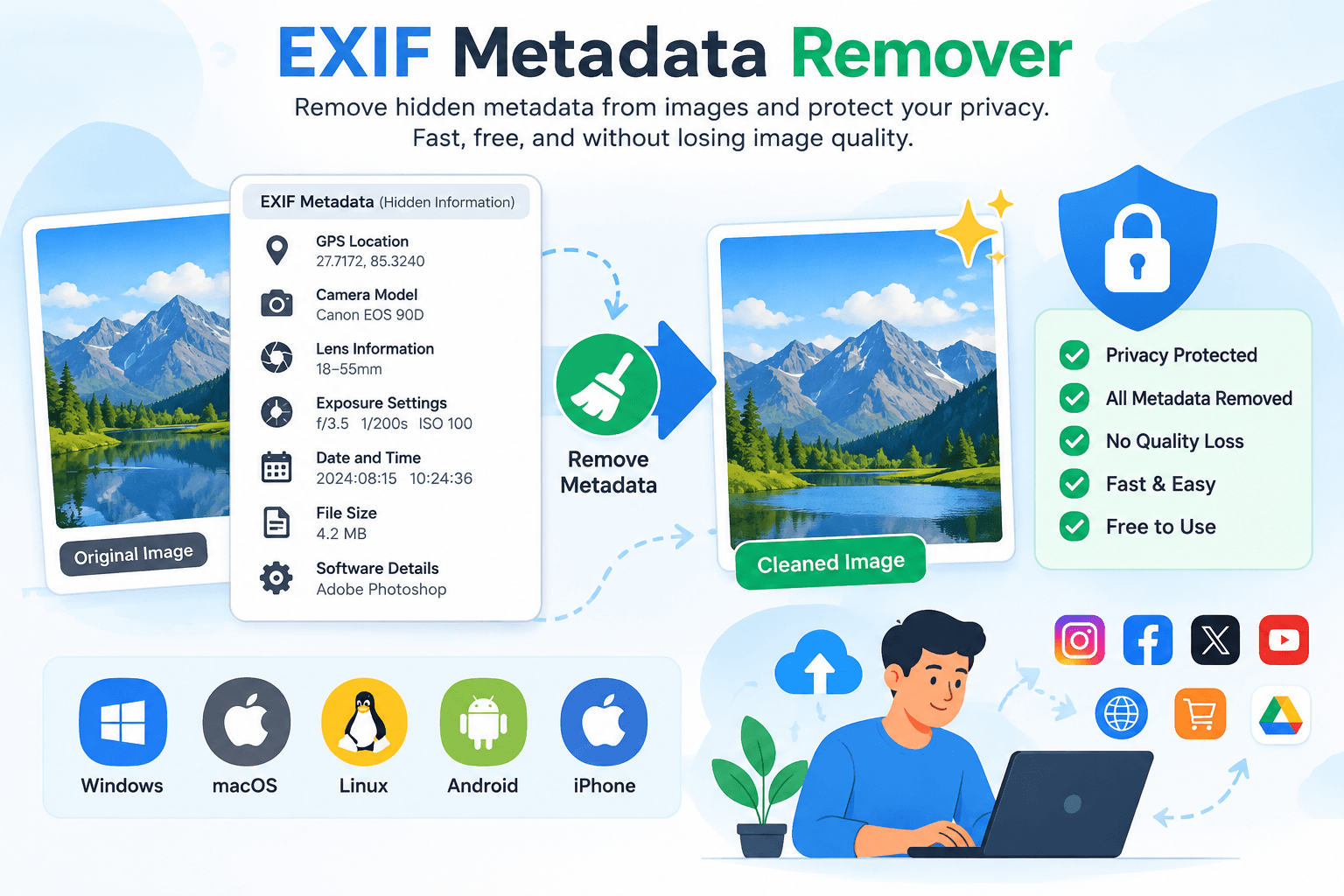
EXIF Metadata Remover is a completely free online tool that allows users to easily remove EXIF metadata from images. It is a very fast and effective method because it maintains the privacy of all data without making any changes to the image quality. When we take a photo using a smartphone or camera, the image contains a lot of information. This hidden information, such as GPS location, file size, camera model, lens information, exposure settings, date and time, and software details, is called metadata.
The device used to take a photo and the image itself may contain and display various details, which can create privacy concerns for users. Therefore, we use this tool to maintain privacy because Metadata Remover safely removes unwanted metadata, allowing you to protect your privacy before uploading photos to websites, social media platforms, blogs, online marketplaces, or cloud storage. This tool can be used on different platforms, including Windows, macOS, Linux, Android, and iPhone devices.
What Is EXIF Metadata?
EXIF stands for Exchangeable Image File Format. It is a standard used by digital cameras and smartphones to store additional information inside image files.
When you capture a photo, your device automatically saves metadata such as:
- Camera manufacturer
- Camera model
- camera setting
- location data
- Smartphone model
- GPS coordinates
- Date and time
- Exposure settings
- ISO value
- Aperture
- Shutter speed
- Focal length
- Flash settings
- Lens information
- Orientation
- Color profile
- Editing software
- Copyright information
- User comments
Although this information is invisible when viewing the image, anyone with the appropriate software can access it.
Why Remove EXIF Metadata?
We use the EXIF Metadata Remover to safely remove EXIF data from images. This helps keep personal information secure and prevents others from accessing hidden information stored in your photos. Removing EXIF metadata helps protect your privacy and keep your image information safe.
Remove Personal Information
Your photos may reveal personal and technical information such as:
Your device model
Camera serial information
Date and time
Location history
Editing software
Personal copyright information
By removing this information, you can safely share your photos online without exposing unnecessary personal or device-related details.
Key Features of EXIF Metadata Remover
- Quickly and easily removes metadata from images.
- Protects user privacy and helps prevent unauthorized access.
- Maintains the original image quality without making changes to the visible image.
- Hides camera information, such as the camera brand and model.
- Processes multiple image formats at once.
- Simple and easy to use, with no special skills required.
- Works smoothly across different platforms.
- No sign-up or login is required.
- Completely free to use for everyone.
Supported Files, Limits & Output
Useful Tooler's EXIF Metadata Remover supports commonly used image formats, making it suitable for removing hidden metadata from images captured or saved on different devices.
Supported Input Formats
- JPG (.jpg)
- JPEG (.jpeg)
- PNG (.png)
- WEBP (.webp)
You can select supported images from your computer, laptop, tablet, or smartphone and process them using the tool.The amount and type of metadata available may vary depending on the image format, camera, device, and software used to create or edit the image.
Output Format
After removing supported metadata, you can save the cleaned image in a supported output format.
- JPG (.jpg)
- JPEG (.jpeg)
- PNG (.png)
- WEBP (.webp)
The output image keeps its visible content and original quality while supported hidden metadata, such as camera details, location information, date and time, and other available EXIF data, is removed during processing.
Try this to convert Image Compressor
How to use
Upload Your Image
Select or upload a supported image from your device.

Remove Metadata
Click the Remove Metadata button to start the process.
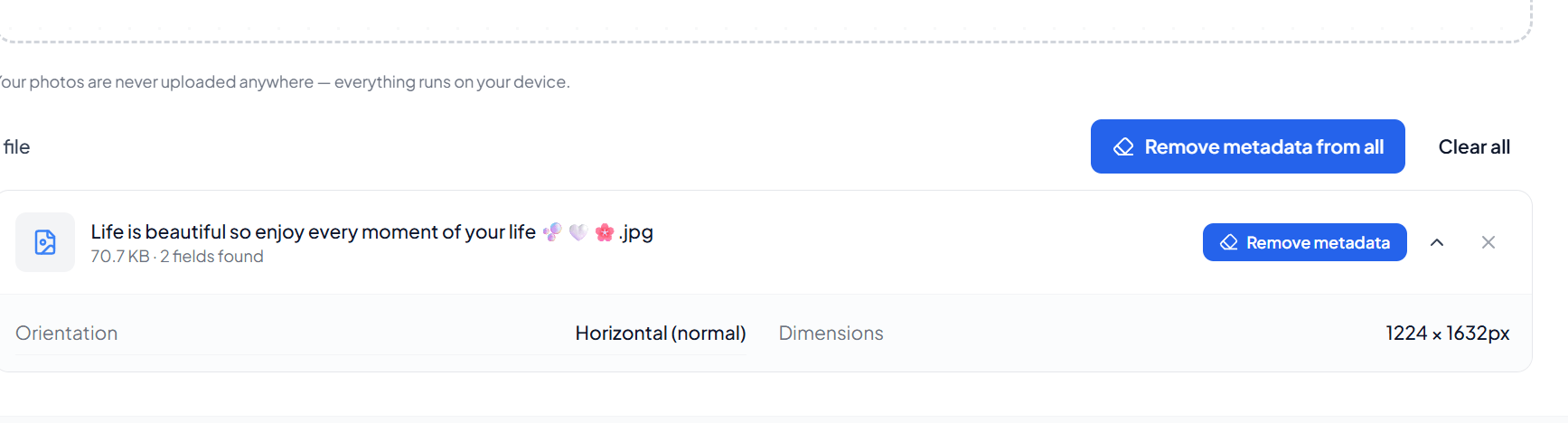
Process the Image
The tool automatically removes supported hidden metadata from the image.
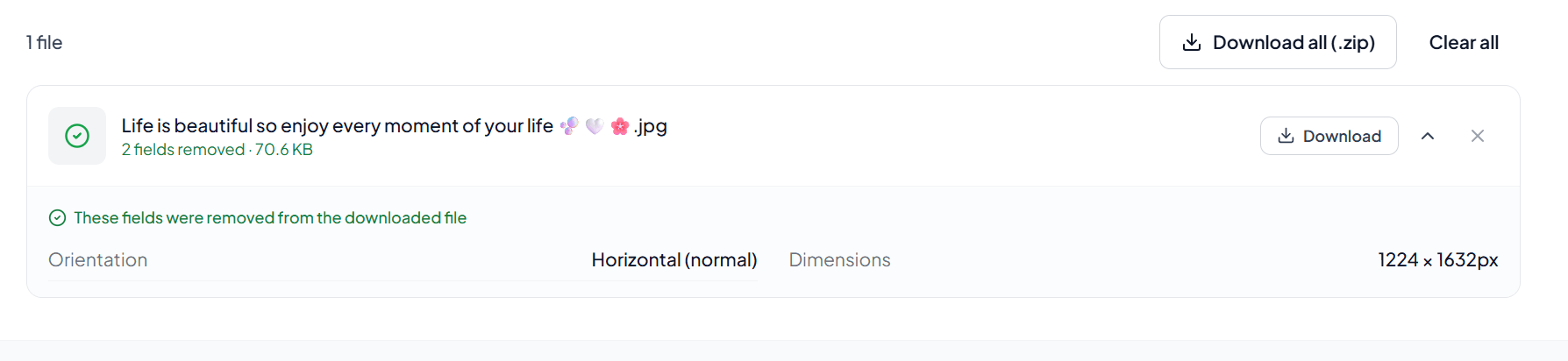
Download the Cleaned Image
Once processing is complete, download your cleaned image with its visible content and quality preserved.
Frequently asked questions
Why should I remove EXIF metadata from my images?
Removing EXIF metadata can help protect your privacy by preventing hidden personal or device information from being shared with the image.
Does removing EXIF metadata reduce image quality?
No. The tool removes unsupported metadata while keeping the image's visible content and quality unchanged.
Can I use the tool on my smartphone or tablet?
Yes. You can use the tool on supported browsers across desktops, laptops, tablets, and smartphones.
What is the difference between an EXIF Viewer and an EXIF Metadata Remover?
An EXIF Viewer displays the metadata stored in an image, while an EXIF Metadata Remover removes supported metadata from the image.
Which tool should I use if I only want to see hidden image information?
Use an EXIF Viewer if you only want to view information such as camera details, GPS data, capture date, resolution, and other available metadata without removing it.
Last updated:
Share this tool
Know someone who'd find it useful? Send it their way.